For software teams and their AI agents
Project management built for modern development.
Assign work to your AI agents the way you assign it to people. Follow every step, answer their questions, and keep humans in control of what ships.
- Free plan
- No credit card
- MCP on every plan
- Export anytime
 Product Engineering
Add idempotency keys to outbound webhooks
Retry failed deliveries without double-sending.
Rate-limit the public form endpoint
Per-IP limiter with a friendly retry message.
Rotate webhook signing secrets
Quarterly key rotation across environments.
Dark mode contrast on kanban cards
Auto-link pull requests from branch names
Timesheet CSV matches the on-screen view
Expire failed deliveries after 24 hours
Hourly sweep expires deliveries and logs them.
Add idempotency keys to outbound webhooks
Work on this task with your agent
claude answers here, on your computer
Ask your agent about this task
Task in To Do, ready to assign.
Interactive example — assign the task, answer the question, approve the result. Right-click the card · try the List, Timeline, and Notes tabs · the robot in the top bar opens the Agent command center. Not a live workspace.
Current product surface · v1.3.085
Launch Claude Code · Cursor · VS Code · Zed · Codex CLI from any card
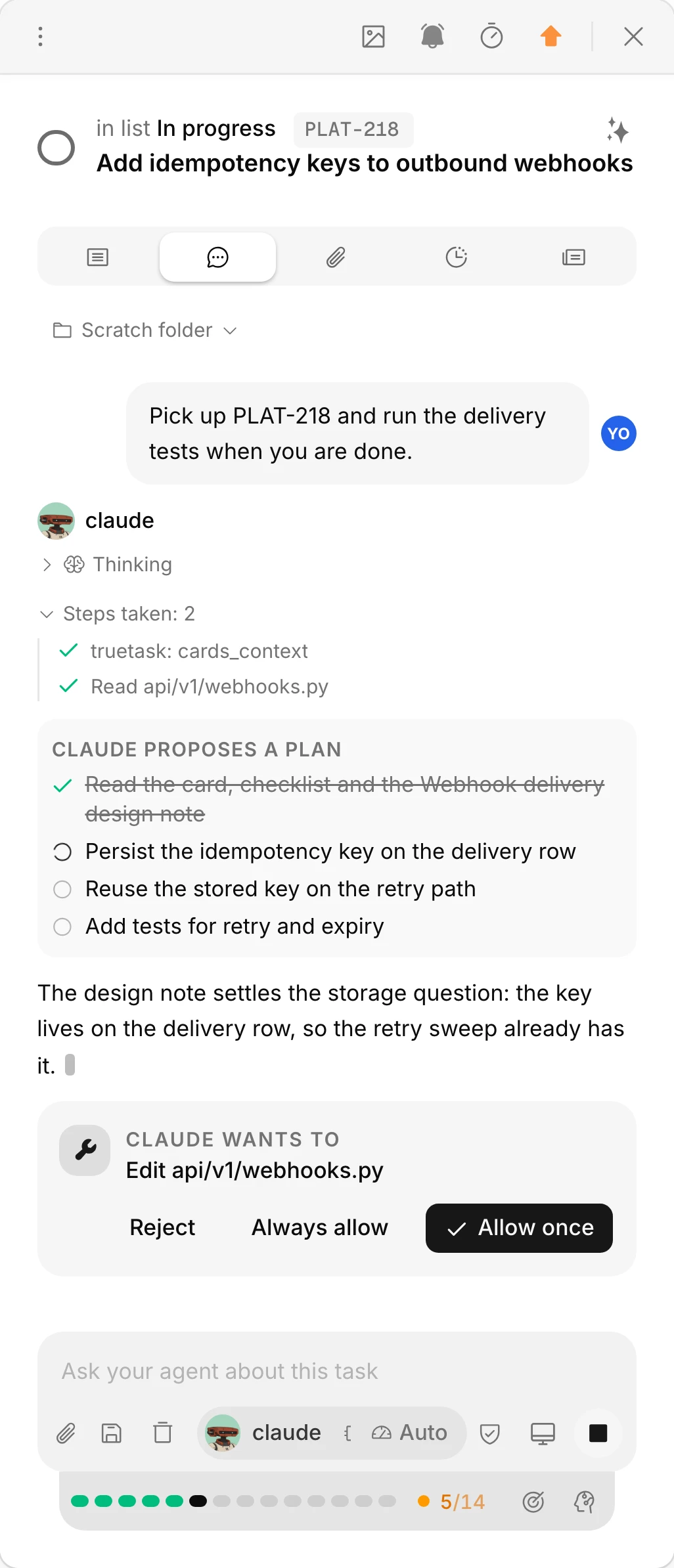
One agent run, in the open
See what the agent did before it says done.
Your own Claude Code or Codex works the task inside it. Every tool call, plan step and edit shows in the task's chat, and the run's steps stay pinned under the composer.
- A permission card for every write. Allow once, always, or reject.
- The plan ticks itself as the agent moves through it.
- 11 built-in workflows define the steps; the strip shows which one is running.
Humans decide
Ask, then approve.
Every task carries its context. An agent that is unsure asks in the task's chat and stops. One that believes it is done proposes done with evidence, and a person approves.
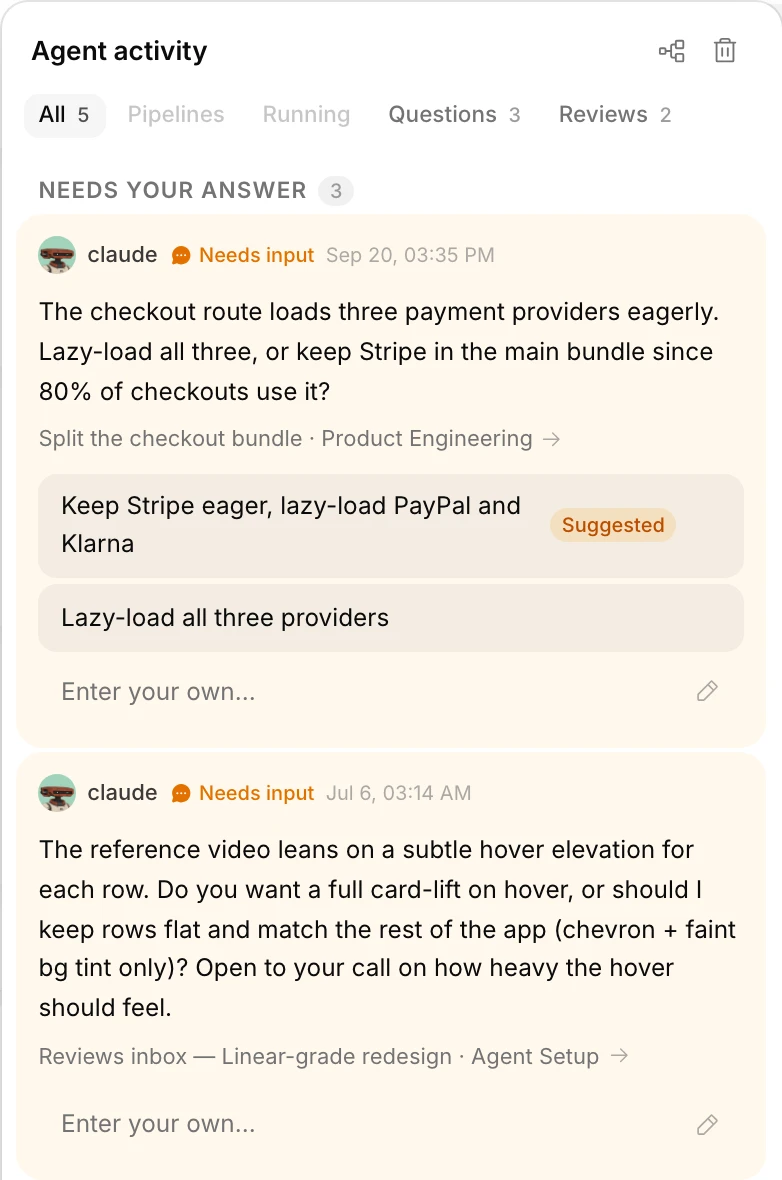
- A Definition of Done on the card, checked against real state before a proposal.
- Per-agent deny rules for completing, archiving, deleting, merging and reading the web.
- Cancel, retry, skip or reassign any run. Send a step back with a reason.
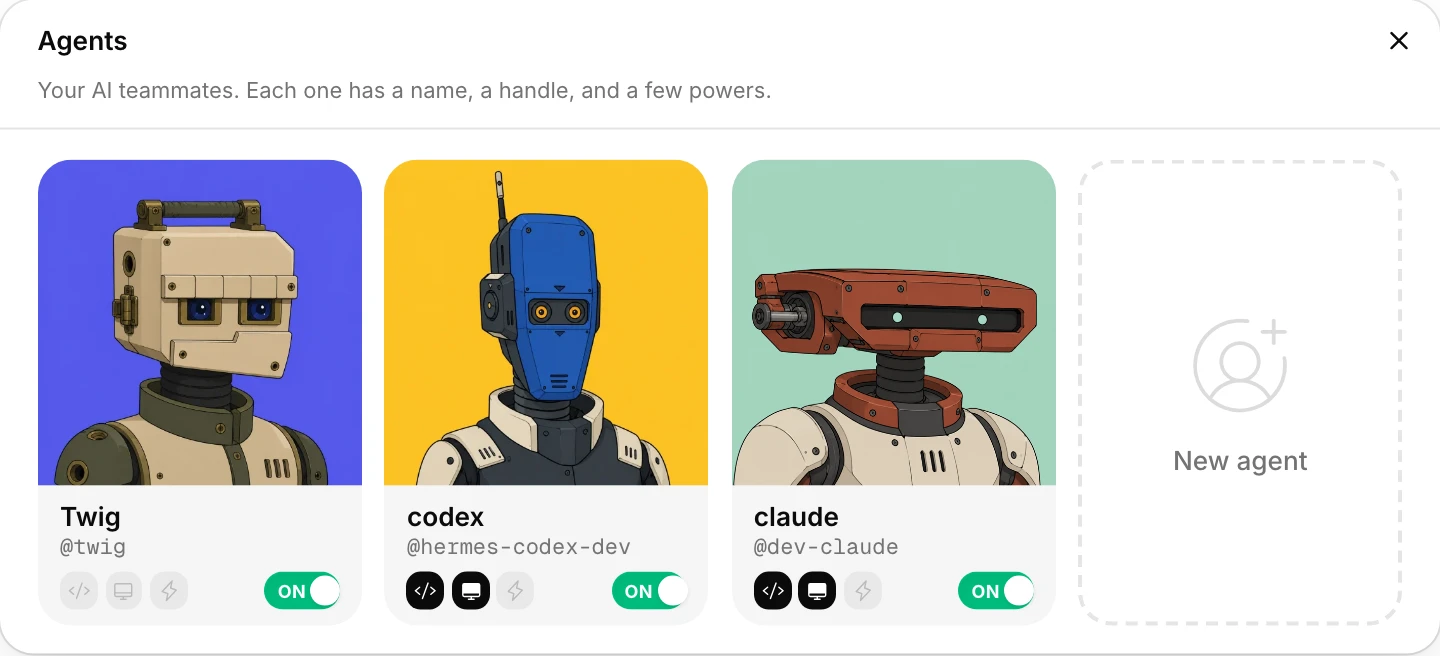
- Agents are bot accounts that never hold owner or admin roles.
More than one task
Chain tasks across agents.
Drop tasks into a pipeline, bind each to an agent, a workflow, a model and an effort, and press Start. The chain waits for a person when an agent fails or asks.
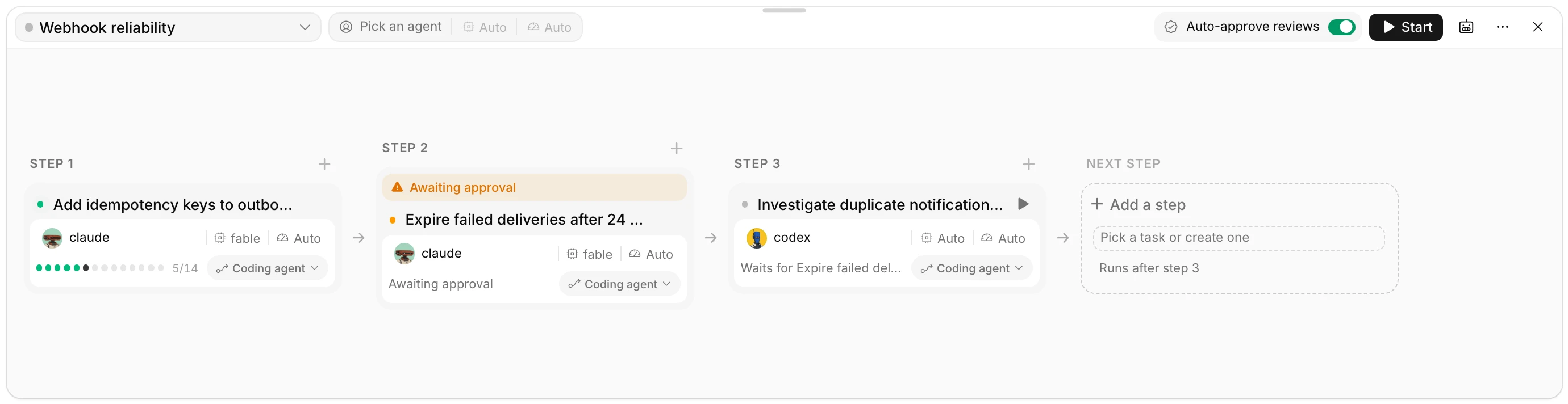
- Tasks from any board you belong to, run in order or in parallel.
- Model and effort per task, or set once for the whole chain.
- Auto-approve reviews for the chain or keep a person in every step.
Bring your own agent
The agents your team already uses.
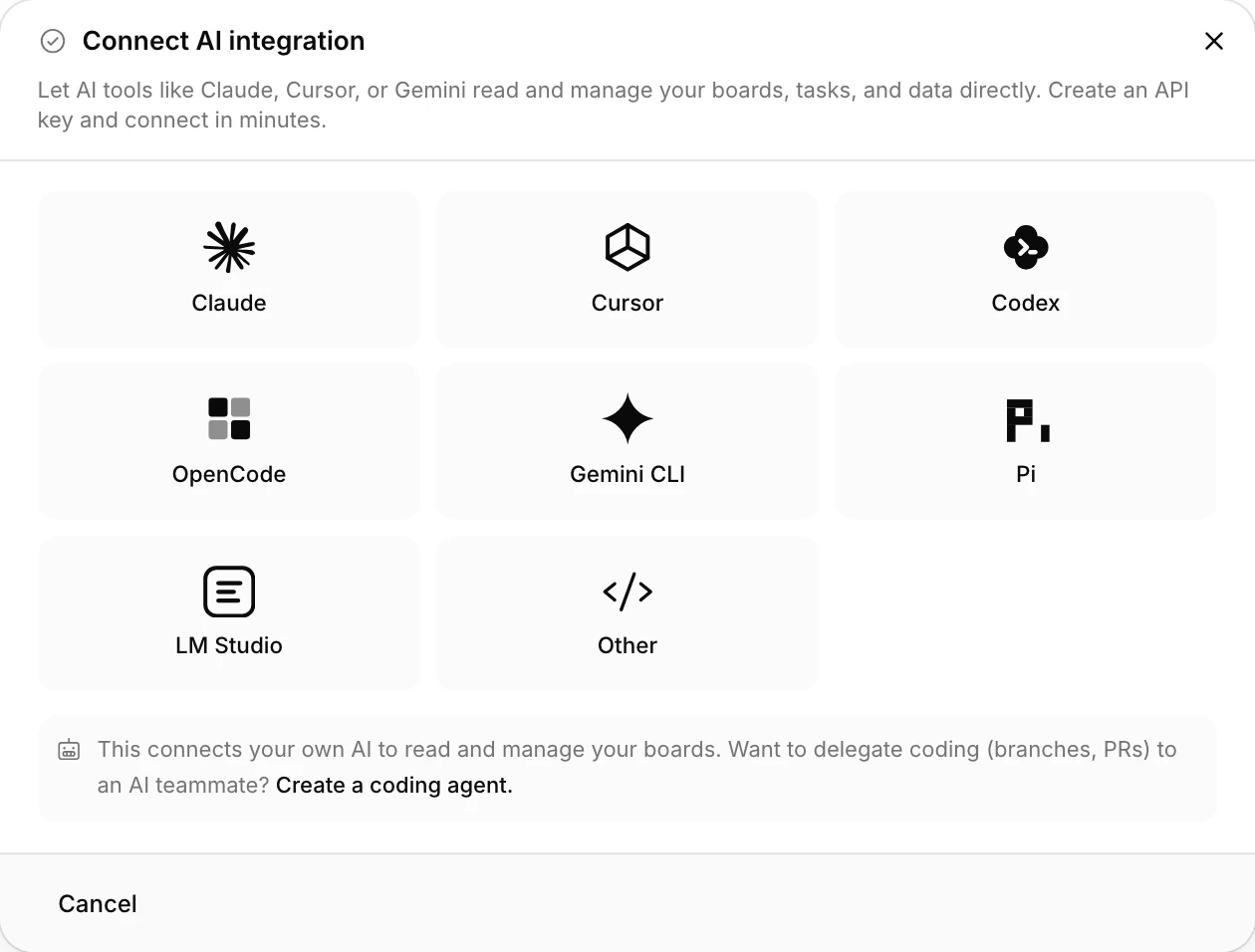
Connect any MCP client with one token. Or run your own Claude Code or Codex from the desktop app, and answer its permission requests from your phone.
- Claude Code
- Codex
- Cursor
- Gemini CLI
- OpenAI
- and any MCP client
From card to code review
Keep the task, code, and review in one chain.
A software task does not end when an agent edits a file. Truetask connects the brief to the branch, pull request, CI state, review, and final approval.
Add idempotency keys to outbound webhooks
7 coding-tool launchers — the task, repo, and branch come preloaded.
Start with the task
52 Git tools for agents across GitHub, GitLab, and Gitea. Merge remains subject to your permissions and guardrails.
Serious project management
Agent-native does not mean agent-only.
9 board views, databases with relations and rollups, forms, notes, time tracking and a portfolio dashboard run the human team's work whether or not an agent touches a task.
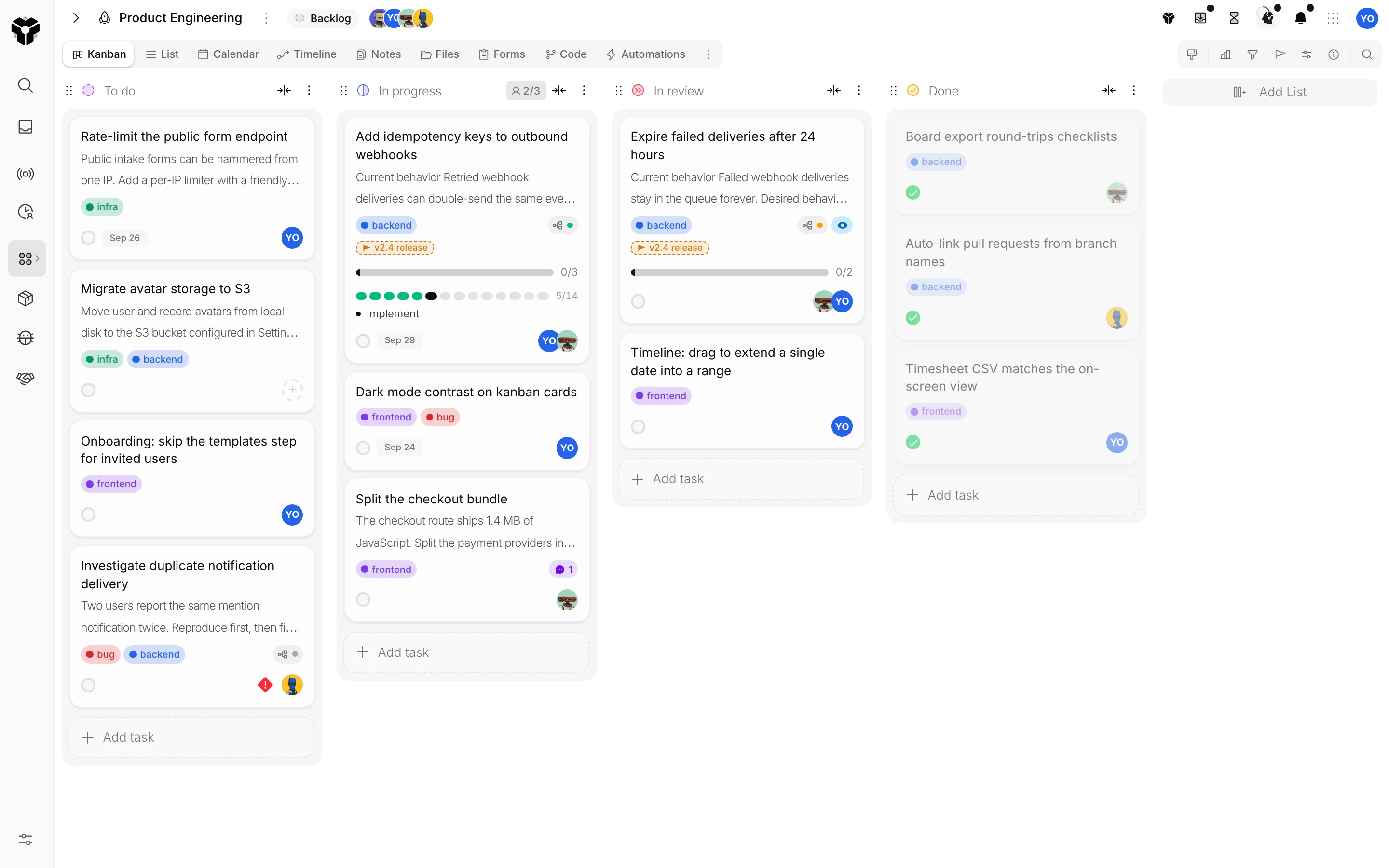
Kanban with live agent runs on the cards
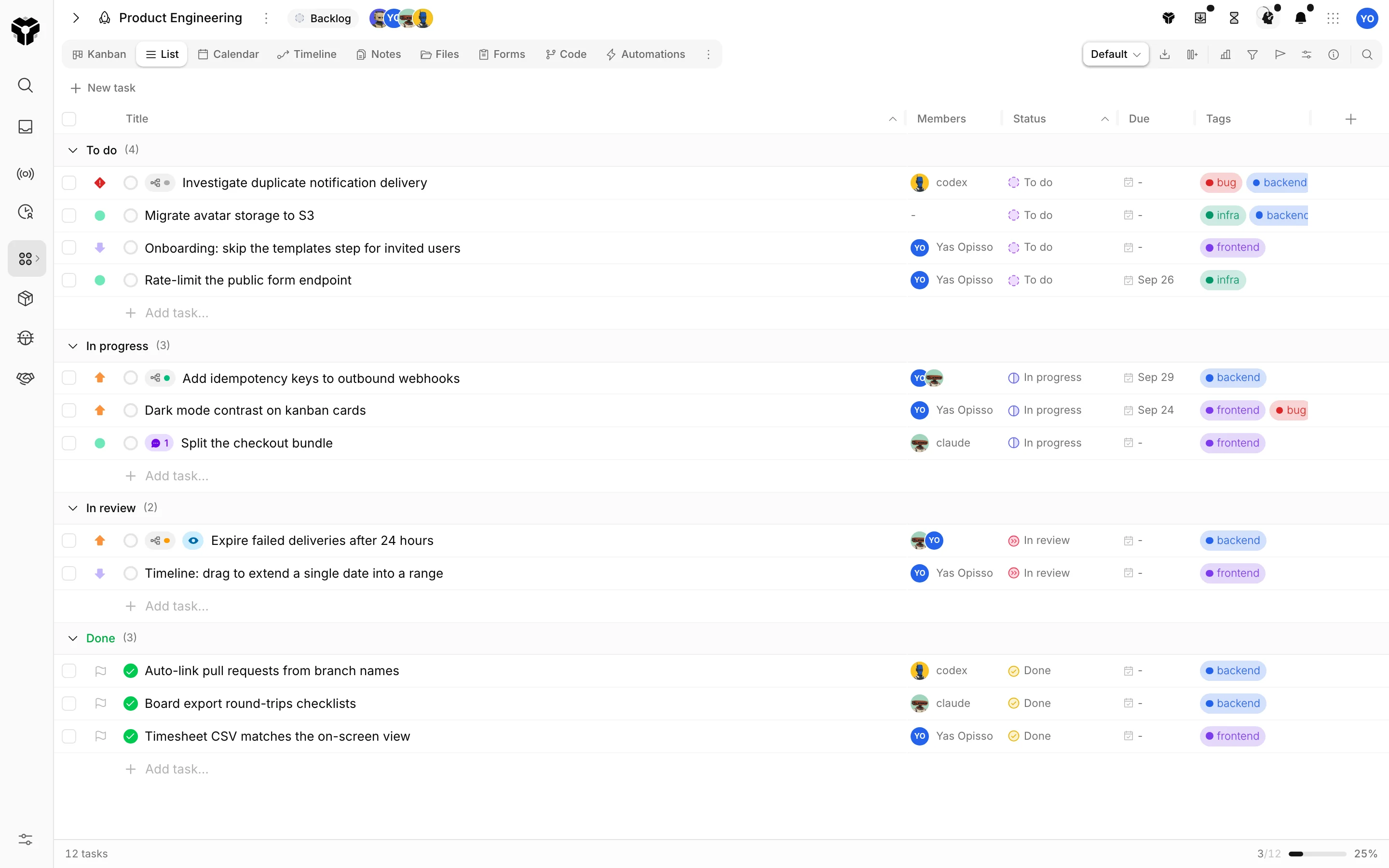
List, timeline and calendar of the same tasks
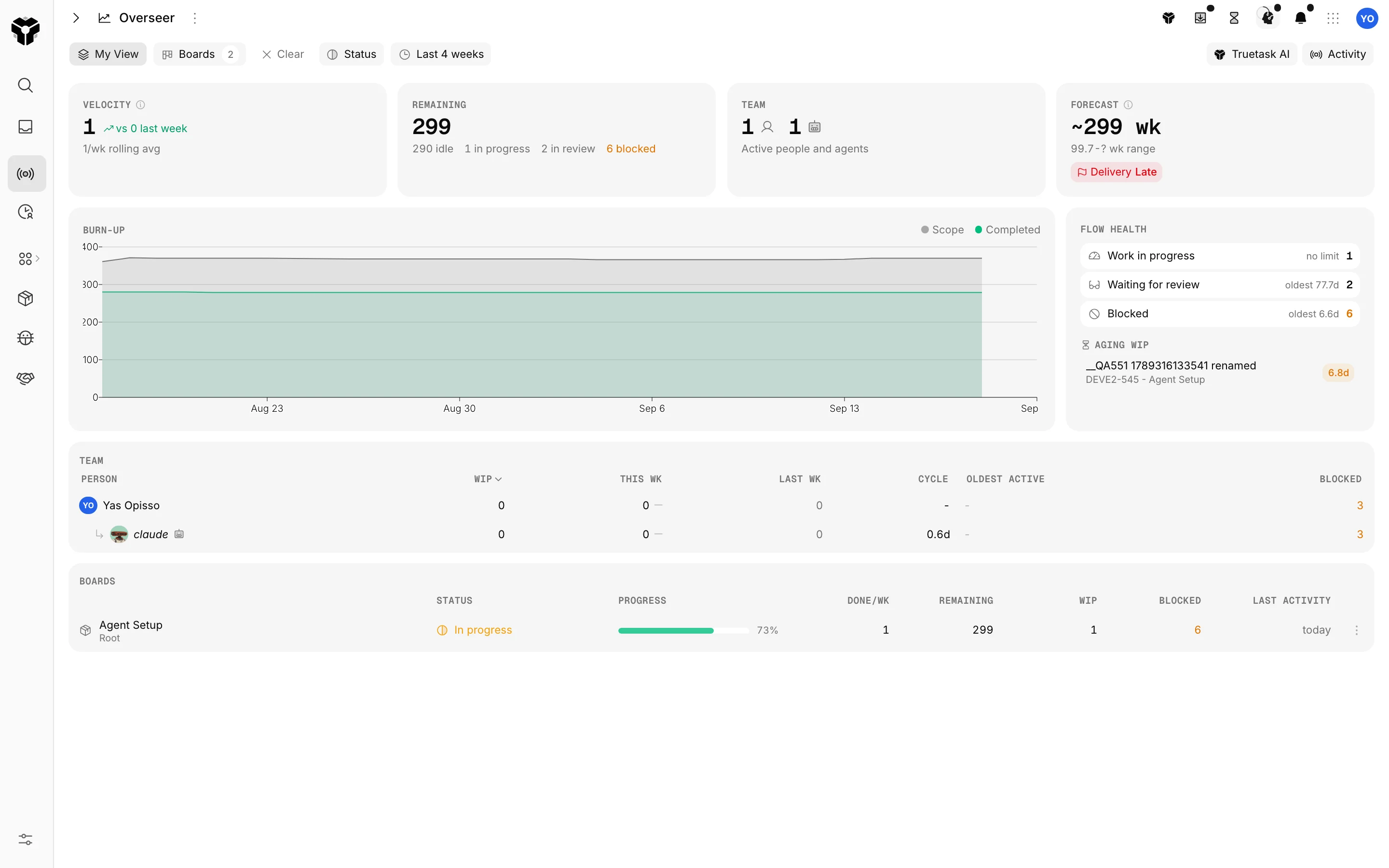
Overseer across every board
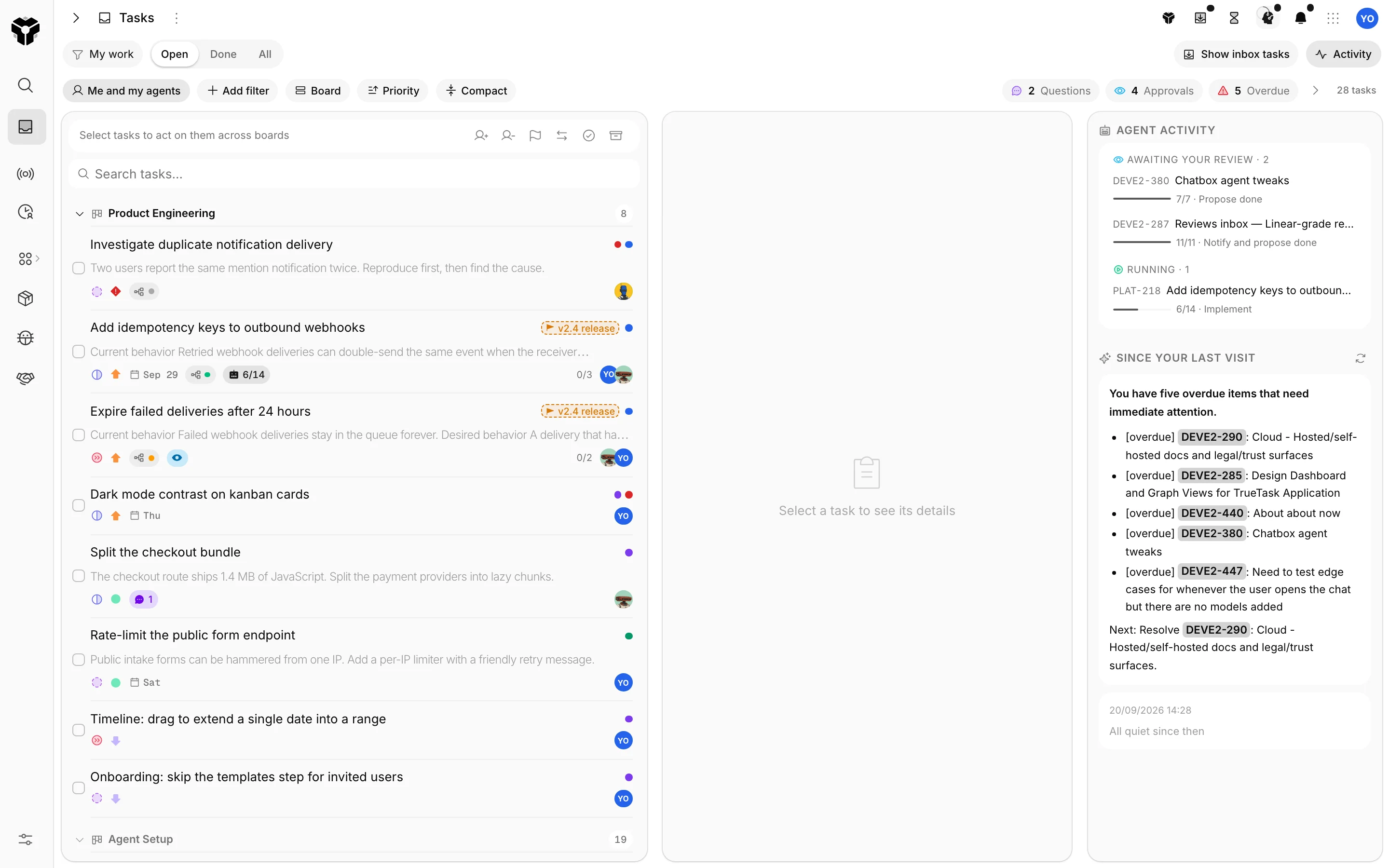
Your tasks and your agents' work in one list
Pricing
Flat pricing per workspace.
Your whole team, and every AI agent you bring. One price. We don't count seats: agents are teammates, and teammates shouldn't cost extra.
Start here
Free
$0
Free forever, no card
A real workspace, free forever.
- Up to 3 people, agents included
- Every feature and automation node
- Truetask AI included
- Sleeps after 48 hours away
- US or EU region
One flat price
Truetask
$24.17/mo
$290 billed yearly
Your team and all its agents. Always on.
- Up to 10 people + unlimited agents
- 50 GB storage
- 10x Truetask AI usage
- Always on, day and night
Whole company
Unlimited
$82.50/mo
$990 billed yearly
Unlimited people. One workspace. One price.
- Unlimited people and agents
- 500 GB storage
- 30x Truetask AI usage
- Always on, day and night
Own your stack
Self-Hosted
$999one-time
No subscription. Yours forever.
A perpetual license on your infrastructure.
- Unlimited people, no subscription
- One year of updates included
- OAuth/OIDC and LDAP sign-in
- Works fully offline, your data stays home
Try everything free for 45 days. No card, no sales call. When the trial ends your workspace returns to Free and your data stays.
FAQ
The questions teams ask before they delegate.
An AI agent is software that can read context, use tools, and carry out multiple steps toward a goal, not just return a chat response. In Truetask, an agent is a teammate: a bot account a person owns, added to boards like a member, assigned tasks, and connected to the workspace through MCP, the desktop app, or Truetask AI.
No. Connect the MCP-compatible agent or client your team already uses. Truetask supplies project context, governed actions, shared progress, questions, and approval. Managed Truetask AI handles in-product assists and can run agent workflows on the server, and agent-loop nodes (multi-step AI nodes inside automations) are included on every plan.
Yes. The desktop app hosts your own Claude Code or Codex session. Kickoffs land on that computer, you can chat with the agent from any device, approve its permission requests remotely, and change its model, effort or permission mode without being at the keyboard. Local access is granted per agent, never by an open desktop alone.
You decide. Agents propose completion with evidence, while a human approves or returns it. Per-agent guardrails can deny completing, archiving, deleting, merging pull requests, or reading the web. Per-workflow policies set when to branch, when to open a pull request, what to do when blocked, how much to narrate, and how long a run may take. Auto-approve is an explicit switch per pipeline or task.
A pipeline chains several tasks, on any boards you belong to, into a run order and hands each to an agent with its own workflow, model and effort. It starts, pauses, resumes and re-runs from a drawer on any page, waits for a person when an agent fails or asks a question, and can auto-approve reviews for the whole chain or a single task.
Yes. Bring-your-own-agent access through MCP is available on every plan. Exact credential limits and plan allowances are displayed from the live pricing catalog.
Every new workspace starts the same way: a real workspace with every feature unlocked for 45 days, no credit card and no sales call. There are no per-plan trials to compare; you try everything, then pick a plan (or stay on Free) inside the app.
Free is a real workspace for up to 3 people, with 512 MB of storage, 3 active automations (every node type included), Truetask AI included, and your choice of US or EU hosting. After 48 hours without human activity a Free workspace goes to sleep; opening it wakes it again in well under a minute. Paid workspaces never sleep.
Because agents are teammates. Per-seat pricing taxes exactly the thing Truetask is built for: bringing more people and more agents into the work. One workspace, one flat price, bring everyone.
Yes. Truetask imports from Trello, Asana, Jira, Notion, Linear, GitHub Projects and Todoist, from a Truetask JSON export, and from any CSV, TSV or Excel spreadsheet as a board or a database, with AI mapping the columns. The import dialog shows exactly what maps before anything is written. Step-by-step guides live at truetask.io/switch/trello and the matching pages for each tool.
Still deciding?Ask ChatGPT to compare us with
Give your next agent task a shared home.
Create a workspace, connect an MCP-compatible agent, and run one real task where the whole team can see the context, progress, questions, and result.
- Free plan
- No credit card
- MCP on every plan
- Export anytime