For operations and internal service teams
Requests in. Work out. Nothing falls through.
Intake from forms, WhatsApp, SMS, email and webhooks lands on one board with a clock running. Automations confirm, remind and escalate through your own Twilio number. An AI teammate triages the queue and asks before it commits you to anything.
- Forms and messaging intake
- SLAs and escalation
- Recurring work
- Free plan
 Facilities & IT requests
Leak under the kitchen sink, Building B
Reported by WhatsApp. Water on the floor, cabinet closed off.
New hire laptop setup, M. Chen
Starts Monday. MacBook, SSO, badge and a desk on the third floor.
Badge reader offline, east entrance
Projector flickering, room 4.02
Happens after ten minutes. Try the spare cable before swapping the unit.
Replace HVAC filters, floor 3
Quarterly. Filters are in the storage room.
VPN access for the audit contractor
Waiting on the signed access form from the requester.
Printer jam, second floor
Monitor for the reception desk
Delivered and mounted.
Leak under the kitchen sink, Building B
Work on this task with your agent
Truetask AI answers here, on the server
Ask your agent about this task
Task in New, ready to assign.
Interactive example on this team's board. Drag the task to start the run, answer the question, approve the result. Not a live workspace.
Intake from everywhere
Every request lands on the board, however it arrives.
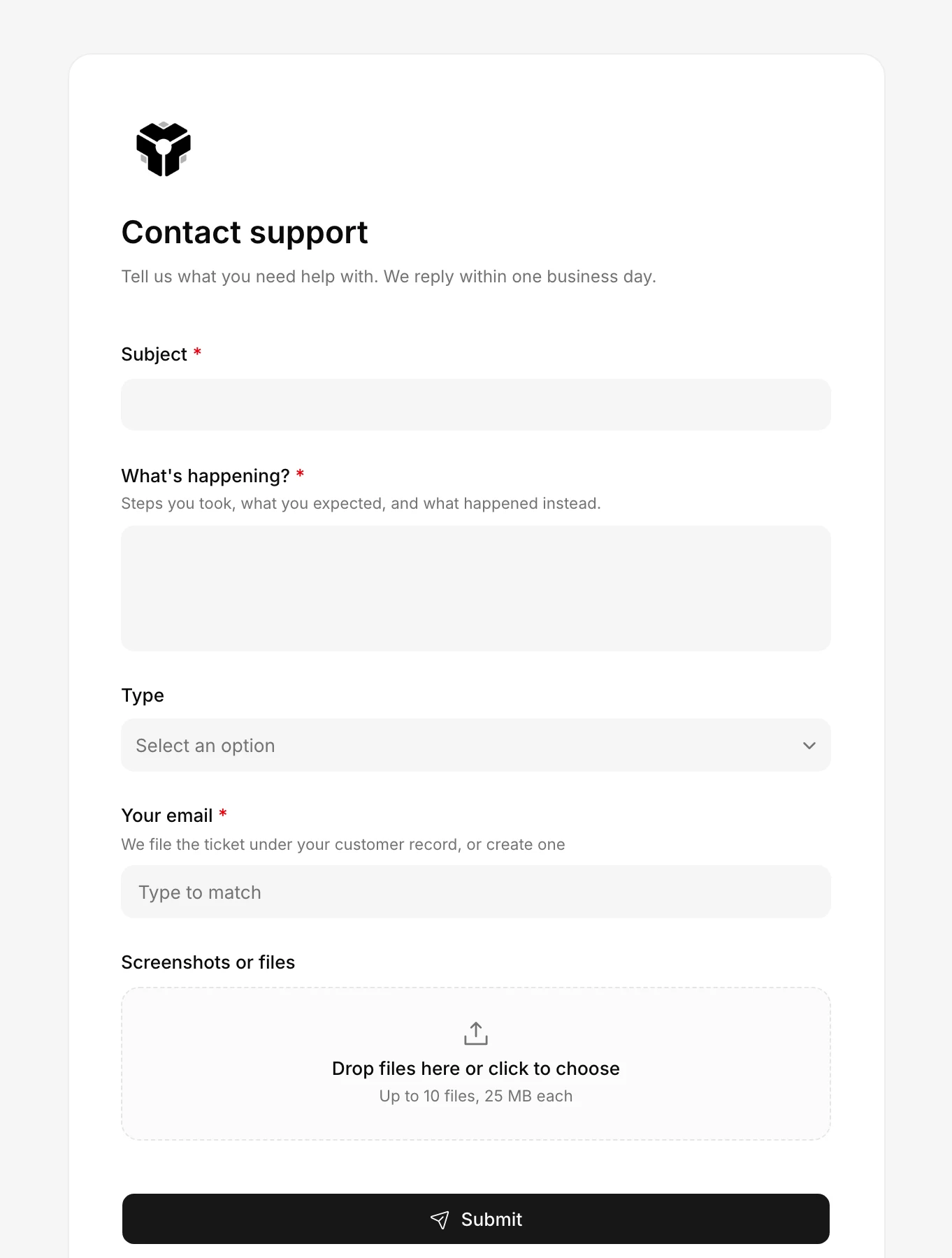
A public form, a WhatsApp message to your business number, a text, or a webhook from another system all create the same task with the requester attached. The queue is the board, not an inbox.
- Public and in-app forms with file uploads and a linked requester record.
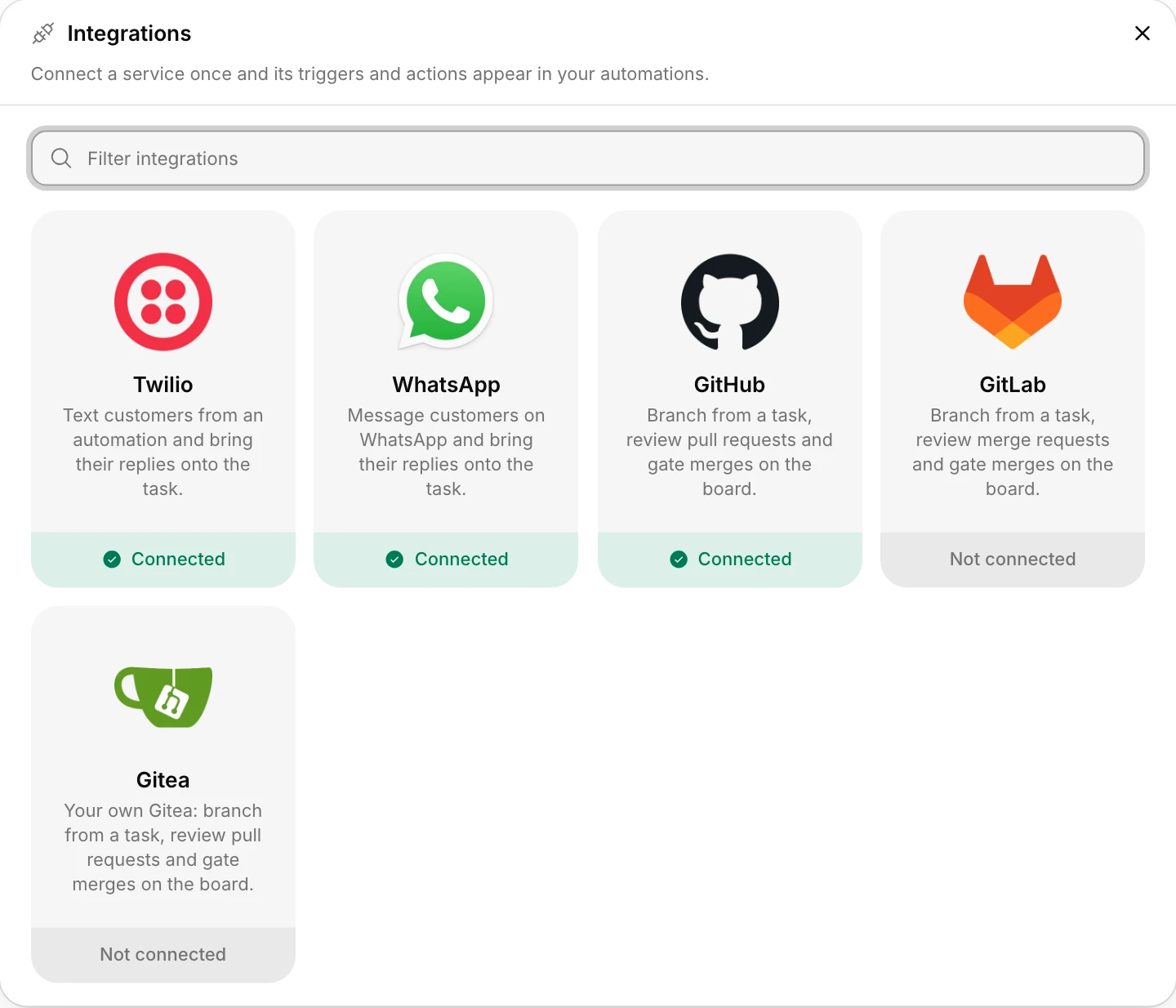
- WhatsApp and SMS received triggers through Twilio.
- Incoming webhooks and the REST API for the rest.
Twilio and WhatsApp
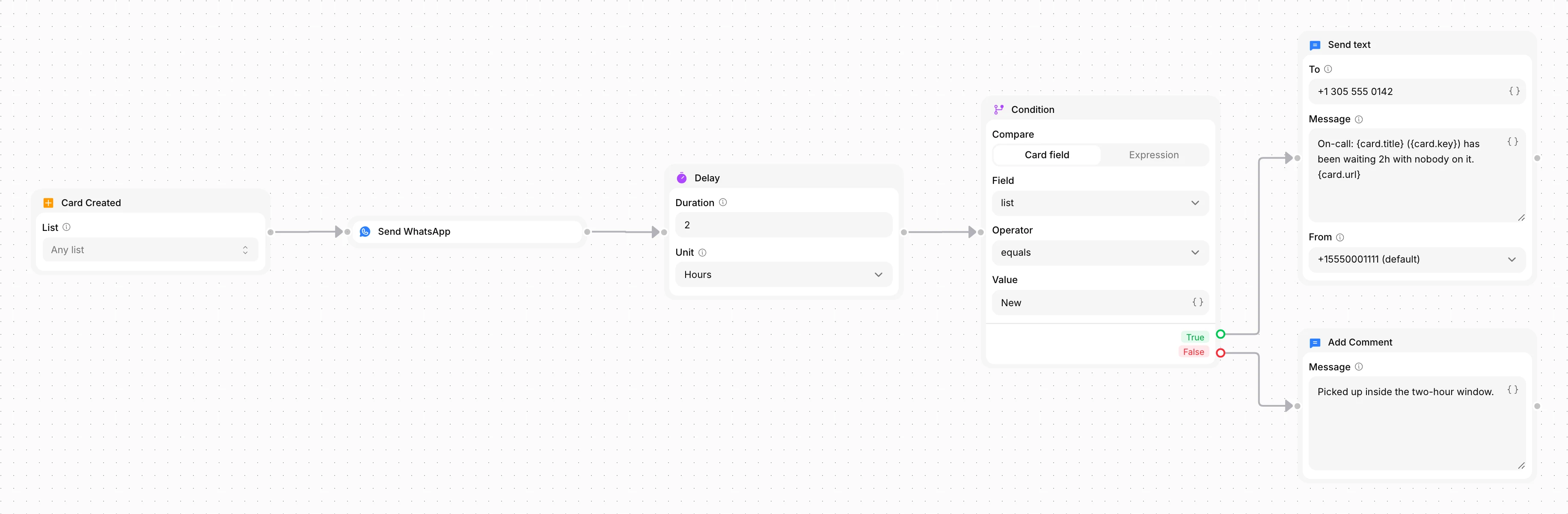
Confirm by WhatsApp. Escalate by text. Automatically.
Build the service level on a canvas: a request arrives, the requester gets a WhatsApp confirmation with the ticket key, and if nobody picks it up in two hours the on-call phone gets a text. Replies come back onto the task.
- 58 triggers and 56 node types, including delay, condition, email, SMS and WhatsApp.
- Due-date and overdue triggers for the SLA clock.
- Every run is logged on the task.
Recurring and scheduled work
Inspections, renewals and checks that create themselves.
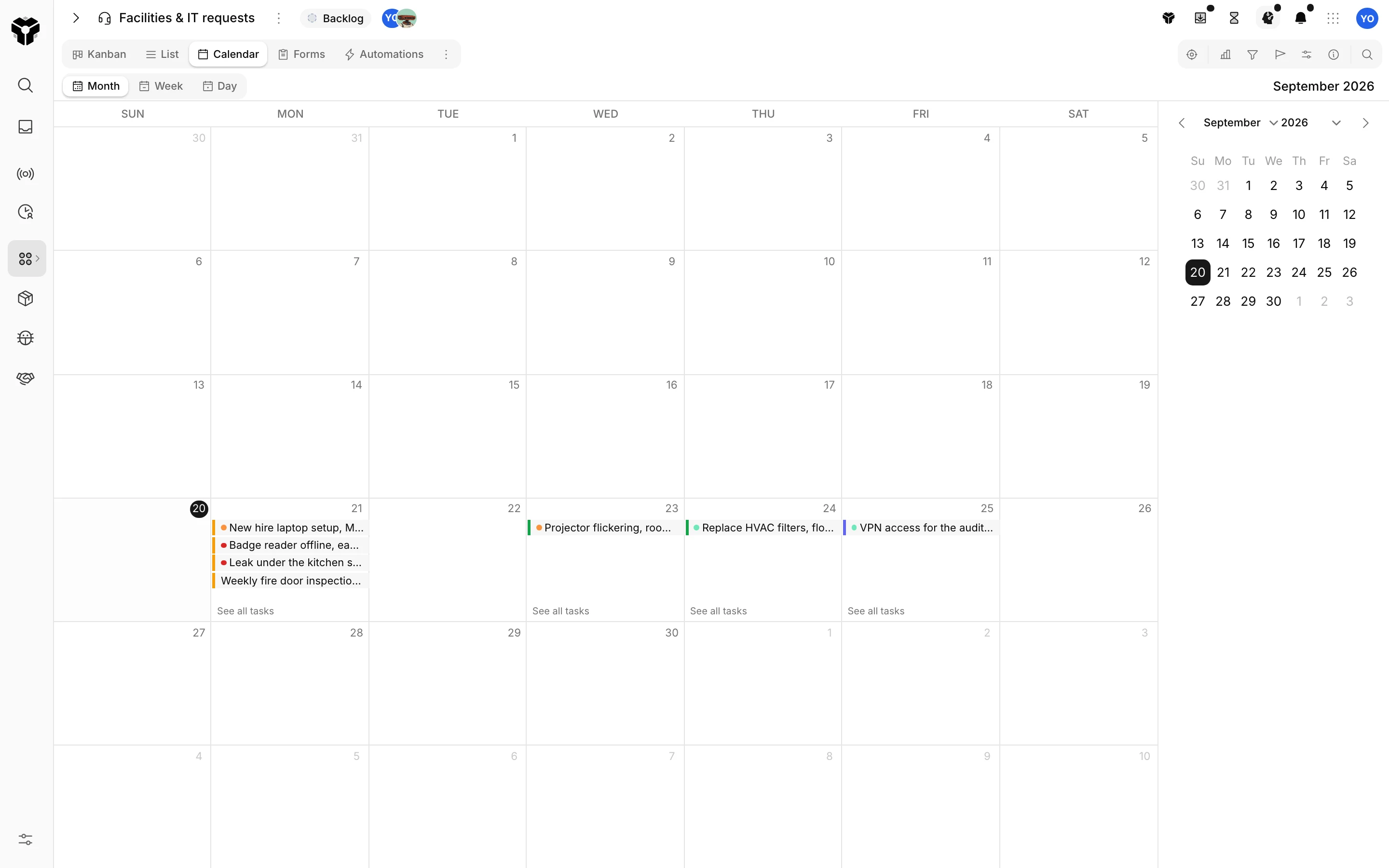
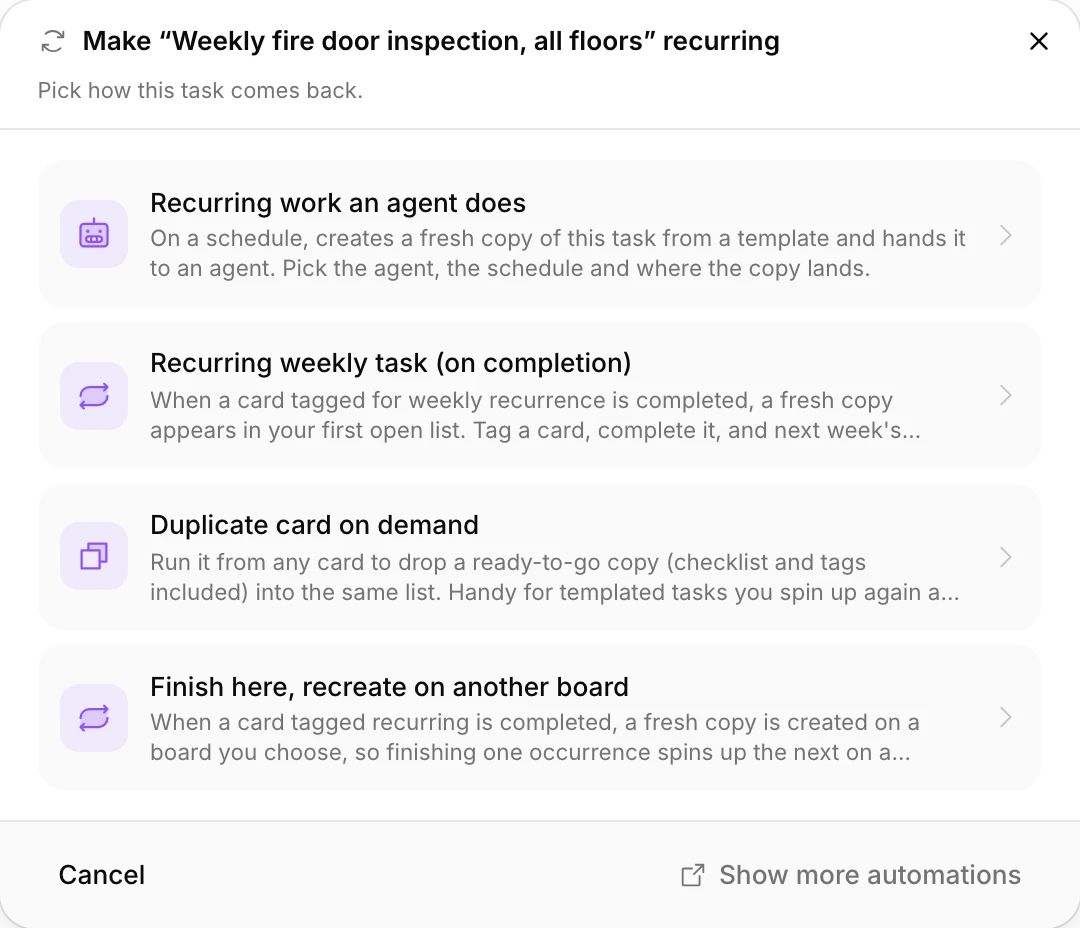
Make any task recurring and it comes back on schedule with its checklist, assignee and due date. The calendar shows the month's load before it arrives.
- Daily, weekly and monthly schedules per task.
- Checklists come back with the task.
- Calendar and timeline views of the same board.
Records behind the requests
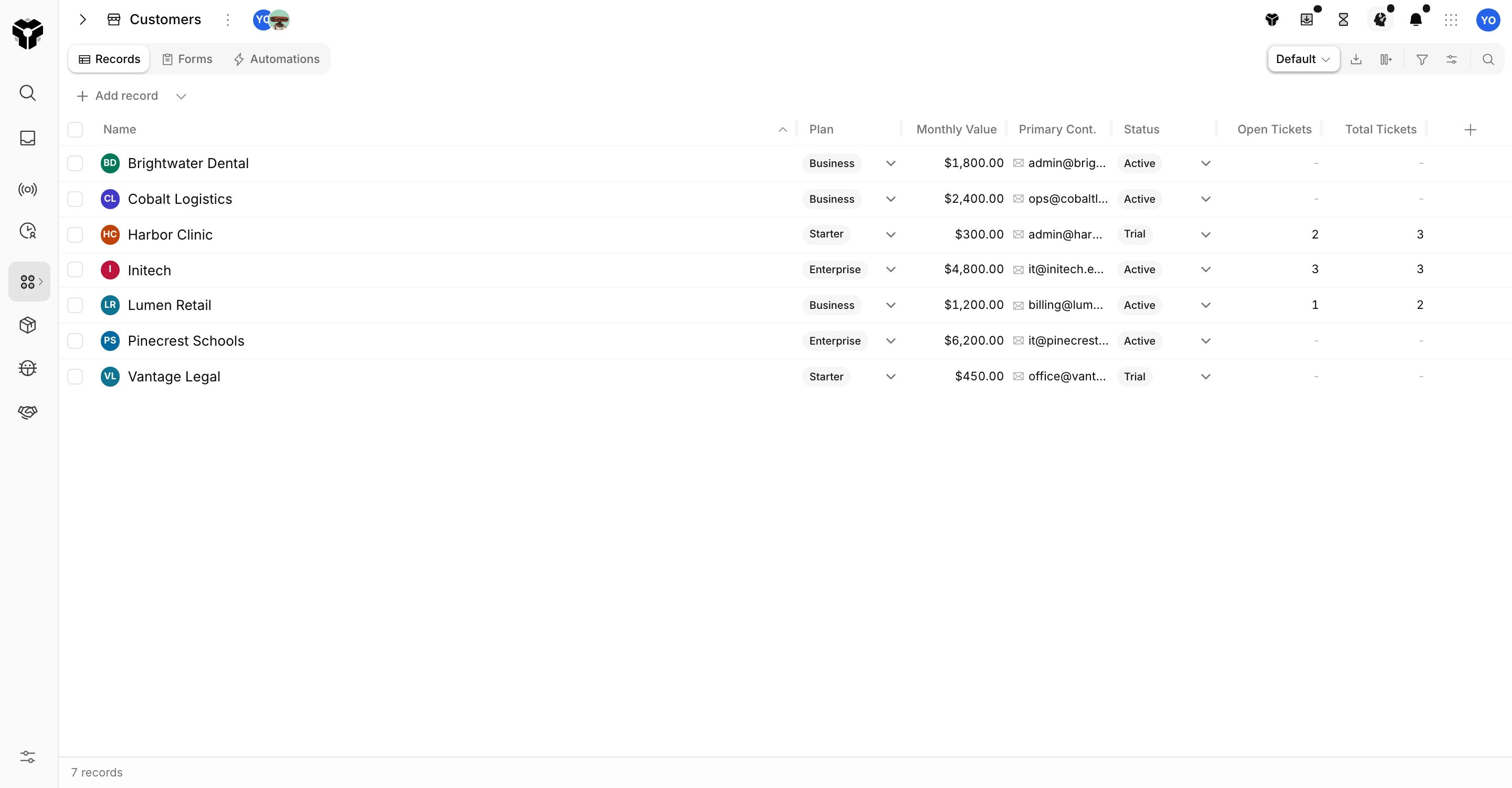
Sites, assets and vendors as databases the board links to.
A request links to the site or customer it came from. The database counts open and total requests per record on its own, so the noisy building and the slow vendor show up without a report.
- Hold Shift over a linked site or asset to peek its full record from the request.
- Import records from any spreadsheet.
- Templates for assets, suppliers and customers.
The AI teammate
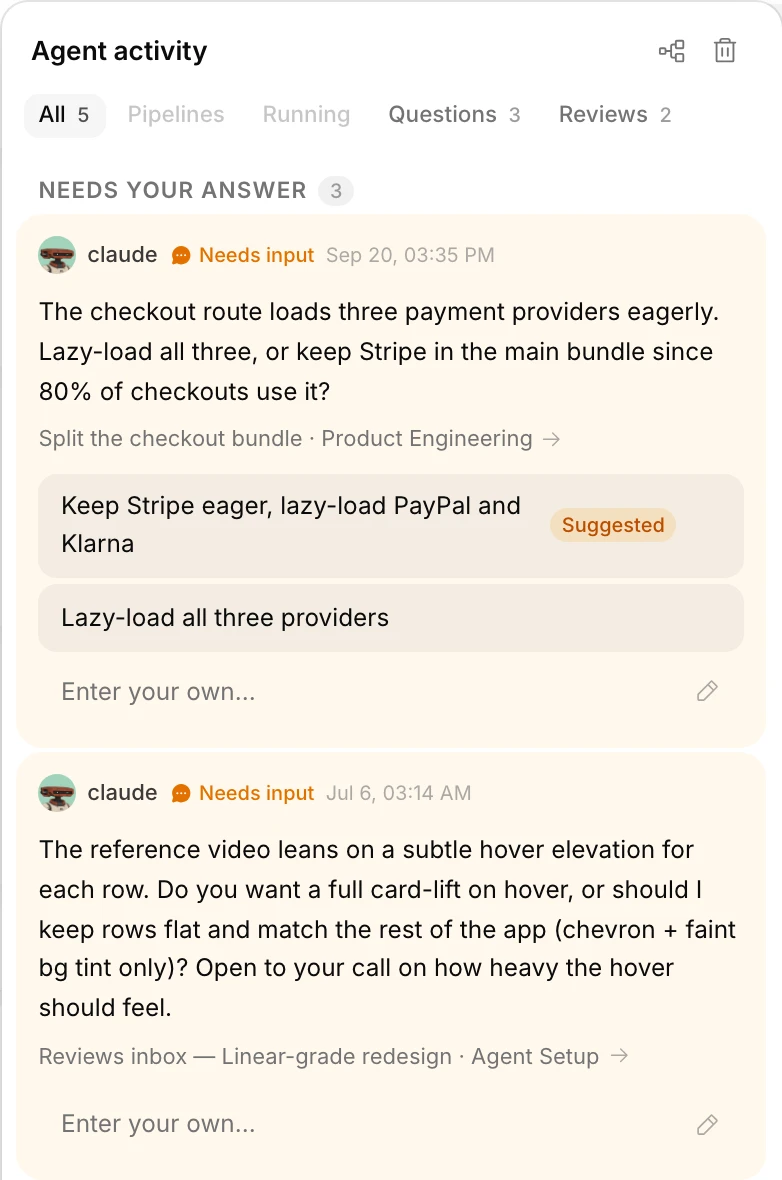
Triage the queue, ask before committing.
Truetask AI can work the New column: confirm requesters, book the vendor, move the task and stop to ask when a decision costs money. Every run shows its steps and ends in a proposal a person approves.
- Runs on the server, included on every plan.
- Per-agent guardrails: no deleting, no completing without approval.
- Agent nodes inside automations for the routine cases.
Pricing
Flat pricing per workspace.
Your whole team, and every AI agent you bring. One price. We don't count seats: agents are teammates, and teammates shouldn't cost extra.
Start here
Free
$0
Free forever, no card
A real workspace, free forever.
- Up to 3 people, agents included
- Every feature and automation node
- Truetask AI included
- Sleeps after 48 hours away
- US or EU region
One flat price
Truetask
$24.17/mo
$290 billed yearly
Your team and all its agents. Always on.
- Up to 10 people + unlimited agents
- 50 GB storage
- 10x Truetask AI usage
- Always on, day and night
Whole company
Unlimited
$82.50/mo
$990 billed yearly
Unlimited people. One workspace. One price.
- Unlimited people and agents
- 500 GB storage
- 30x Truetask AI usage
- Always on, day and night
Own your stack
Self-Hosted
$999one-time
No subscription. Yours forever.
A perpetual license on your infrastructure.
- Unlimited people, no subscription
- One year of updates included
- OAuth/OIDC and LDAP sign-in
- Works fully offline, your data stays home
Try everything free for 45 days. No card, no sales call. When the trial ends your workspace returns to Free and your data stays.
Questions
Questions operations teams ask.
Can requesters reach us without an account?
Yes. Public forms, a WhatsApp business number and an SMS number all create tasks without a login. Replies to a confirmation land on the task.
How do SLAs work?
Due-date and overdue triggers run the clock. A delay node and a condition node turn that into confirmations, reminders and escalations by email, SMS or WhatsApp, and every run is logged on the task.
Do we need Twilio?
For SMS and WhatsApp, yes: you connect your own Twilio account and WhatsApp Business number under Integrations. Email, Slack, Teams and webhooks work without it.
Is this only for facilities and IT?
No. The same board, forms and automations run HR requests, purchasing, onboarding or any internal service queue. Templates for support queues, assets and inventory are built in.
Put the next request on the board.
Create a workspace, publish the form, and watch the first confirmation go out by WhatsApp.
- Free plan
- No credit card
- MCP on every plan
- Export anytime
Also foragencies teams andengineering teams.