For agencies and client services
Client work that runs itself, until a person has to decide.
Every client's tasks, hours and approvals in one place. An AI teammate drafts the status update, chases the missing sign-off and asks you before anything reaches the client. No per-seat pricing, so contractors and clients come along for free.
- Unlimited clients
- No per-seat pricing
- Time and billing built in
- Free plan
 Northwind Studio
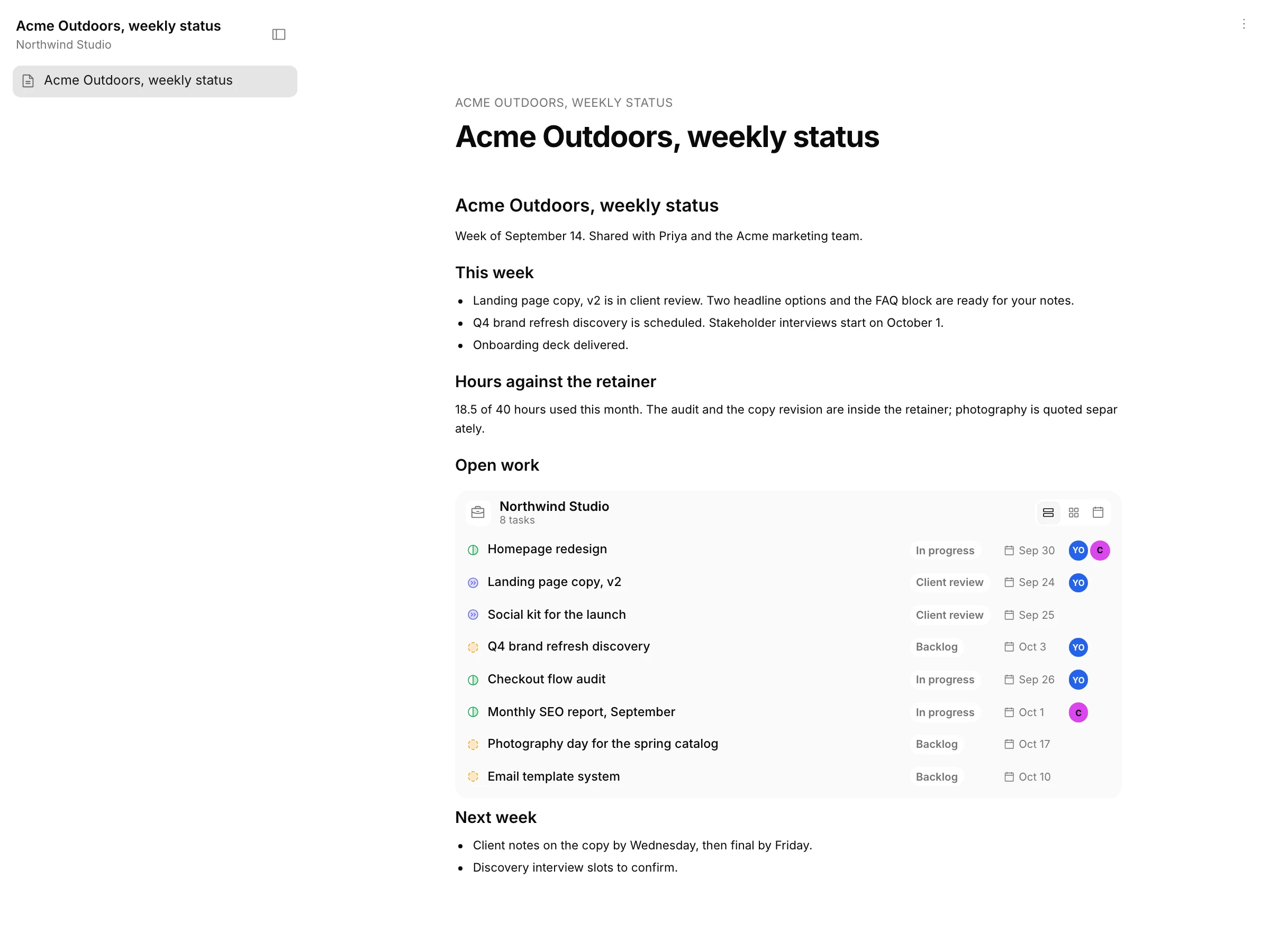
Weekly status for Acme Outdoors
Hours against the retainer, what shipped, what is waiting on the client.
Q4 brand refresh discovery
Stakeholder interviews and a competitive teardown before the visual direction.
Photography day for the spring catalog
Book the studio, shot list agreed with the client.
Homepage redesign
New homepage for the autumn campaign: hero, three product stories, lighter footer.
Checkout flow audit
Heuristic review with a prioritized fix list.
Social kit for the launch
Twelve posts, three formats, captions and a posting calendar.
Landing page copy, v2
Second pass after the client's notes on tone.
Brand guidelines PDF
Onboarding deck
Weekly status for Acme Outdoors
Work on this task with your agent
Truetask AI answers here, on the server
Ask your agent about this task
Task in Backlog, ready to assign.
Interactive example on this team's board. Drag the task to start the run, answer the question, approve the result. Not a live workspace.
Client-facing without a client seat
Share the status, not the workspace.
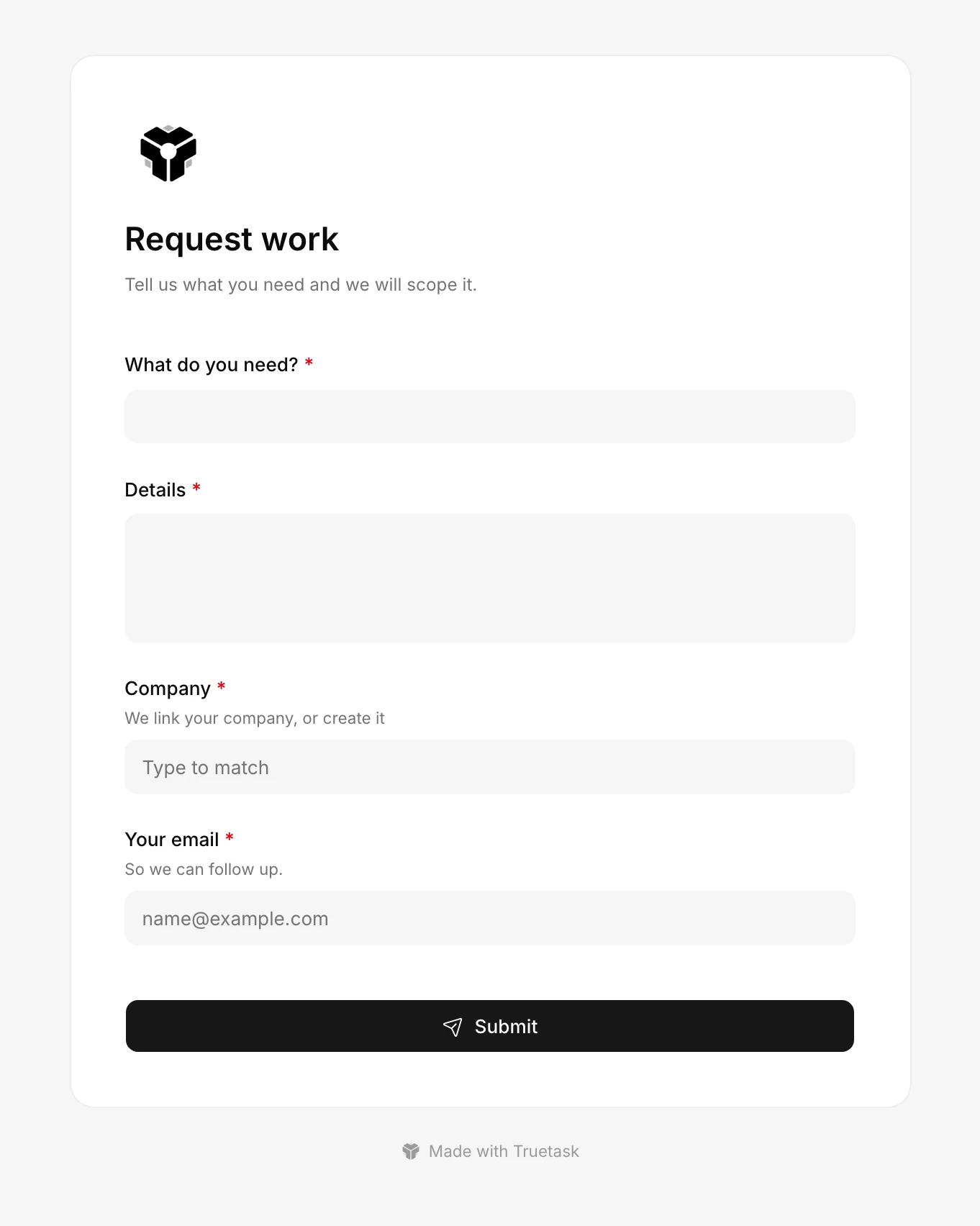
Publish a note with a live, read-only view of the client's open work. Intake forms take new requests straight onto the board. Clients never need a login, and if they do, a guest role sees only their board.
- Published notes embed a live board view.
- Public intake forms create tasks with the client already linked.
- Guests are view-only and free.
Time and billing
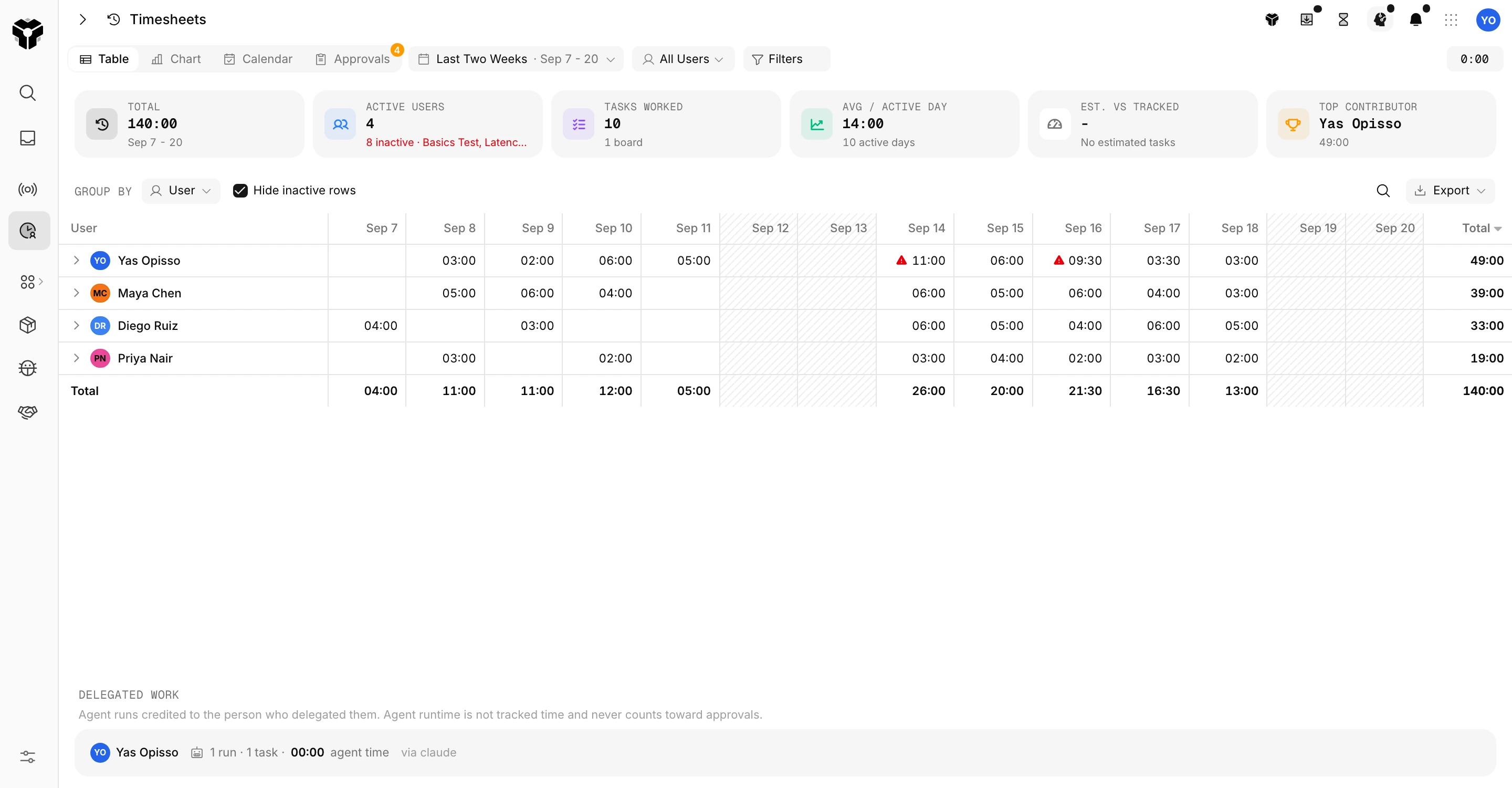
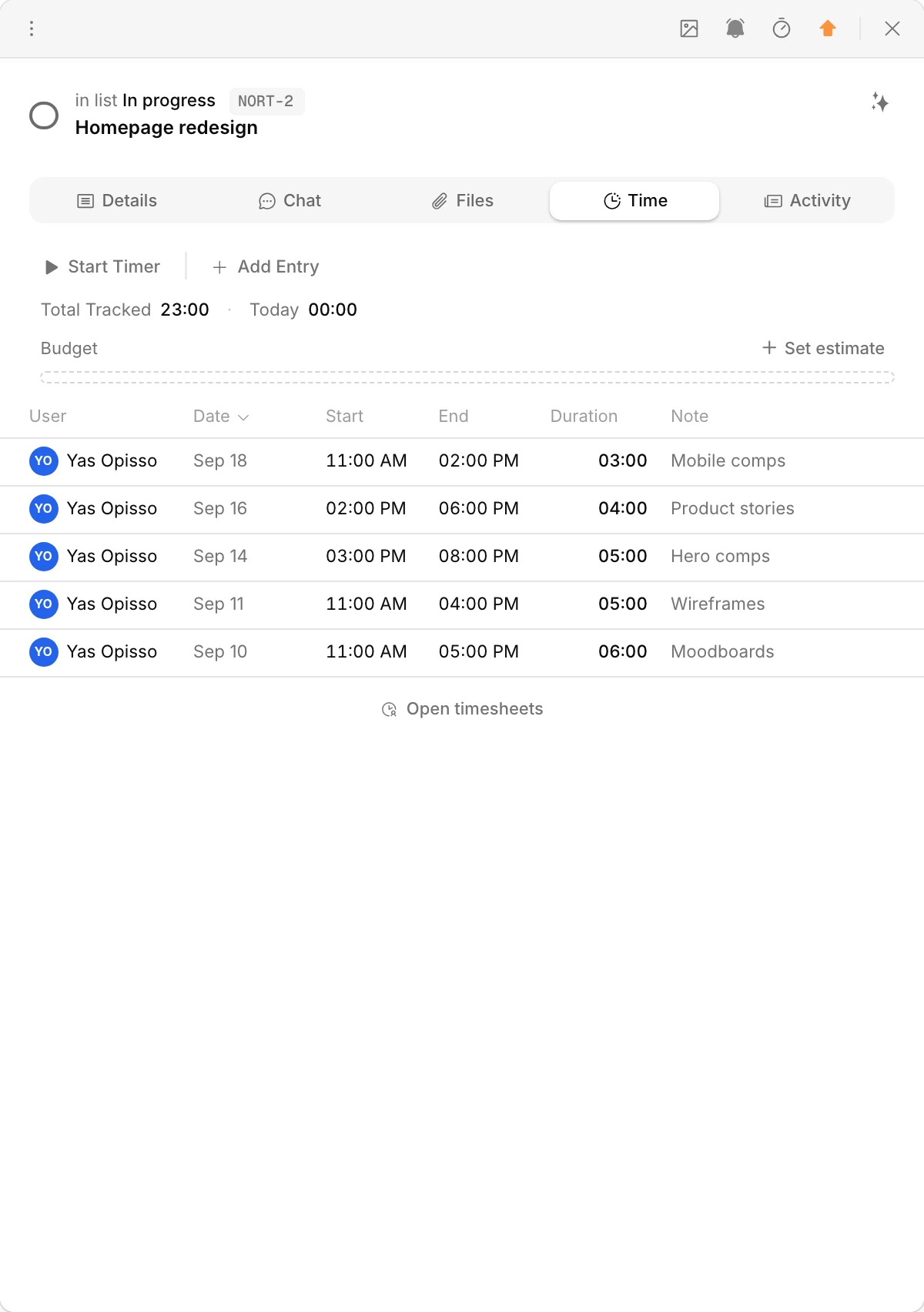
Hours logged on the task, approved by the week.
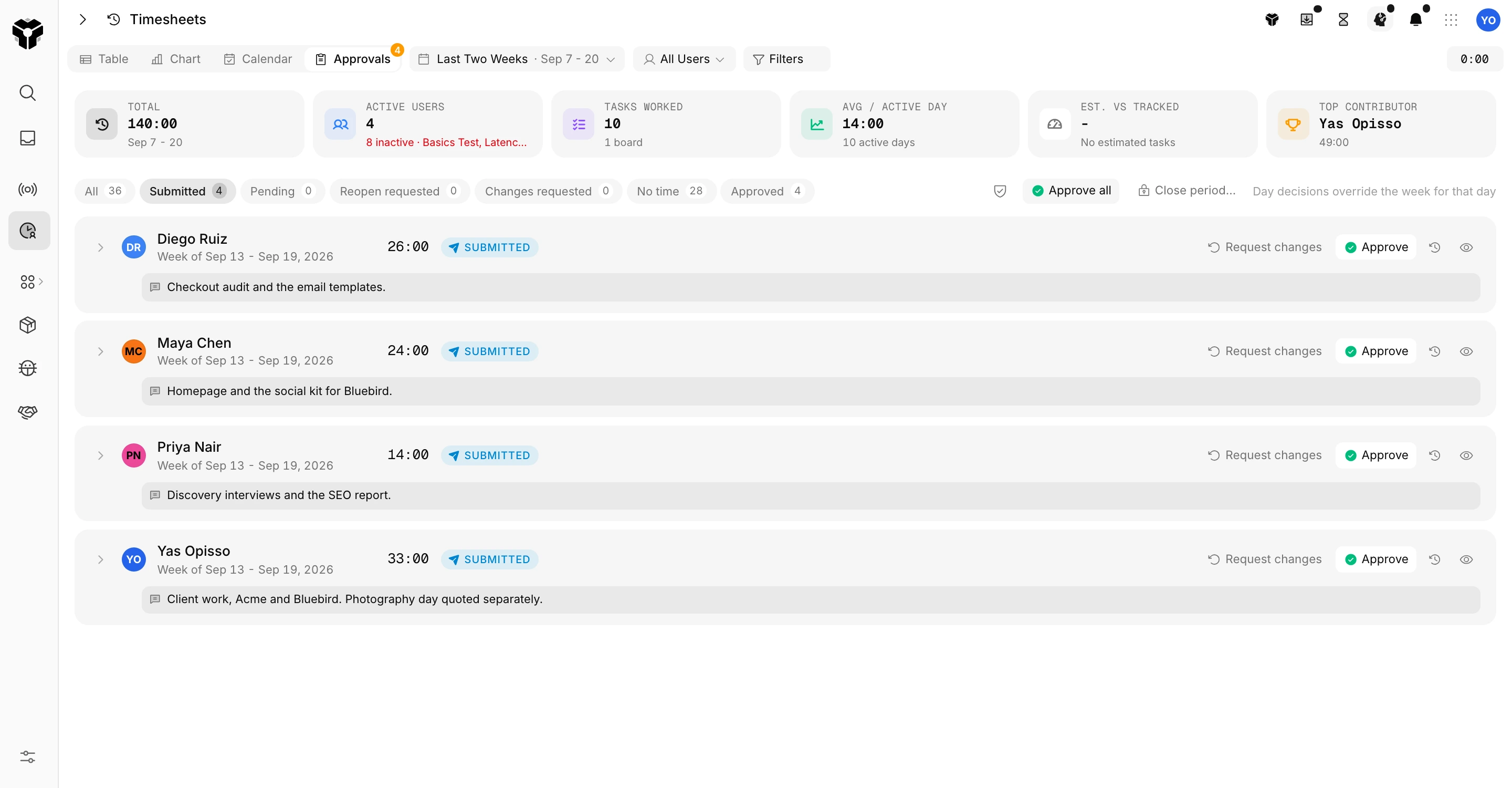
A timer on every task, billable by default, with a rate per person. Timesheets roll up by week and go through submit, request changes and approve, so invoicing starts from approved hours.
- Billable rates per person, exports per week.
- Approvals with a note back to the person.
- Time shows on the task, the client record and the timesheet.
One board per engagement, one database for clients
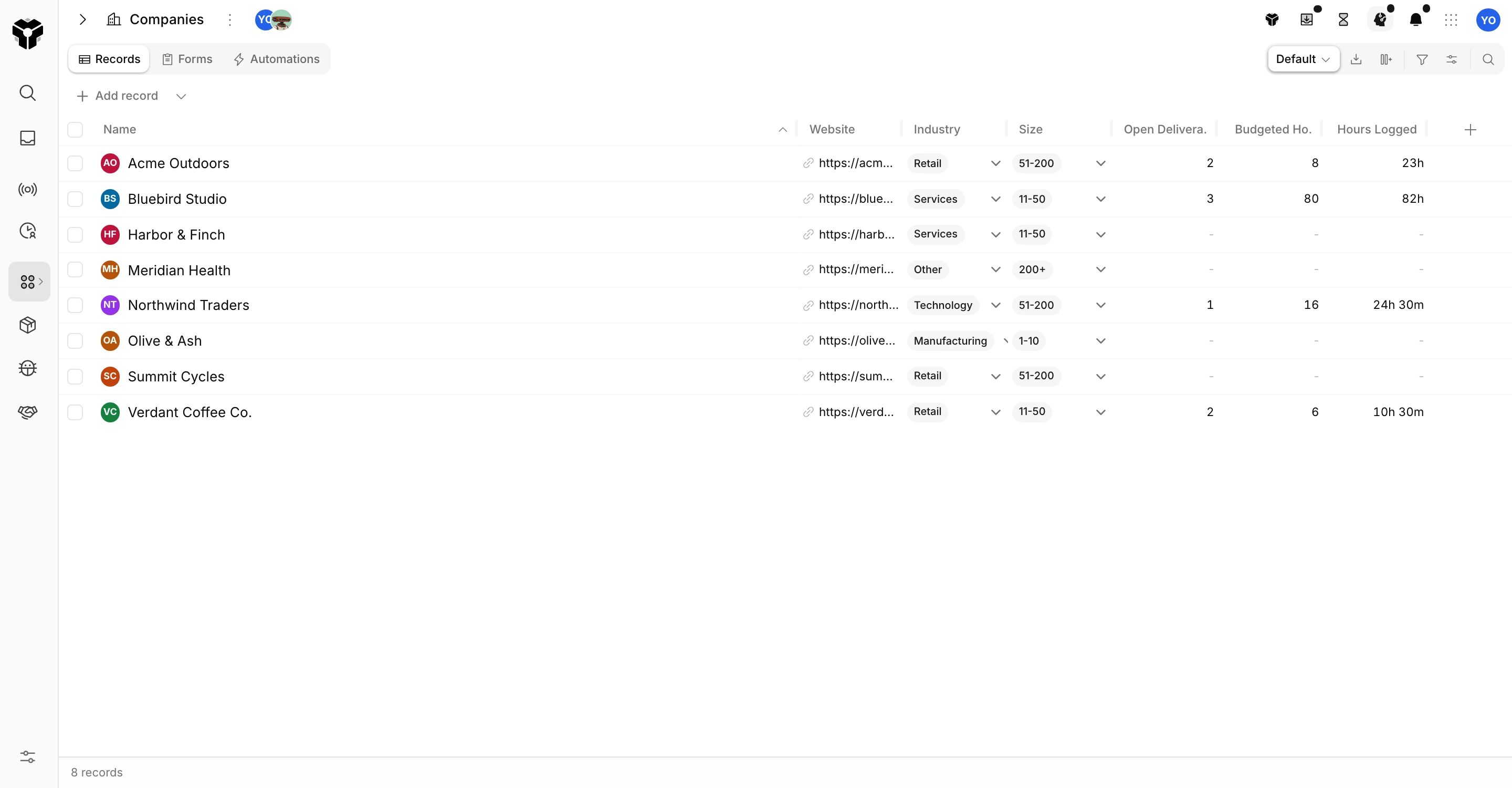
Every client, with the hours and open work rolled up.
Tasks link to a client record. The client database totals hours, budget and open tasks per account on its own, so the retainer conversation starts from numbers, not memory.
- Hold Shift over any linked record to peek its full card, fields grouped, without leaving the board.
- Budget per task in hours, tracked time beside it.
- Tags, priorities and due dates on every card.
Twilio and WhatsApp
Tell the client the moment it is ready for review.
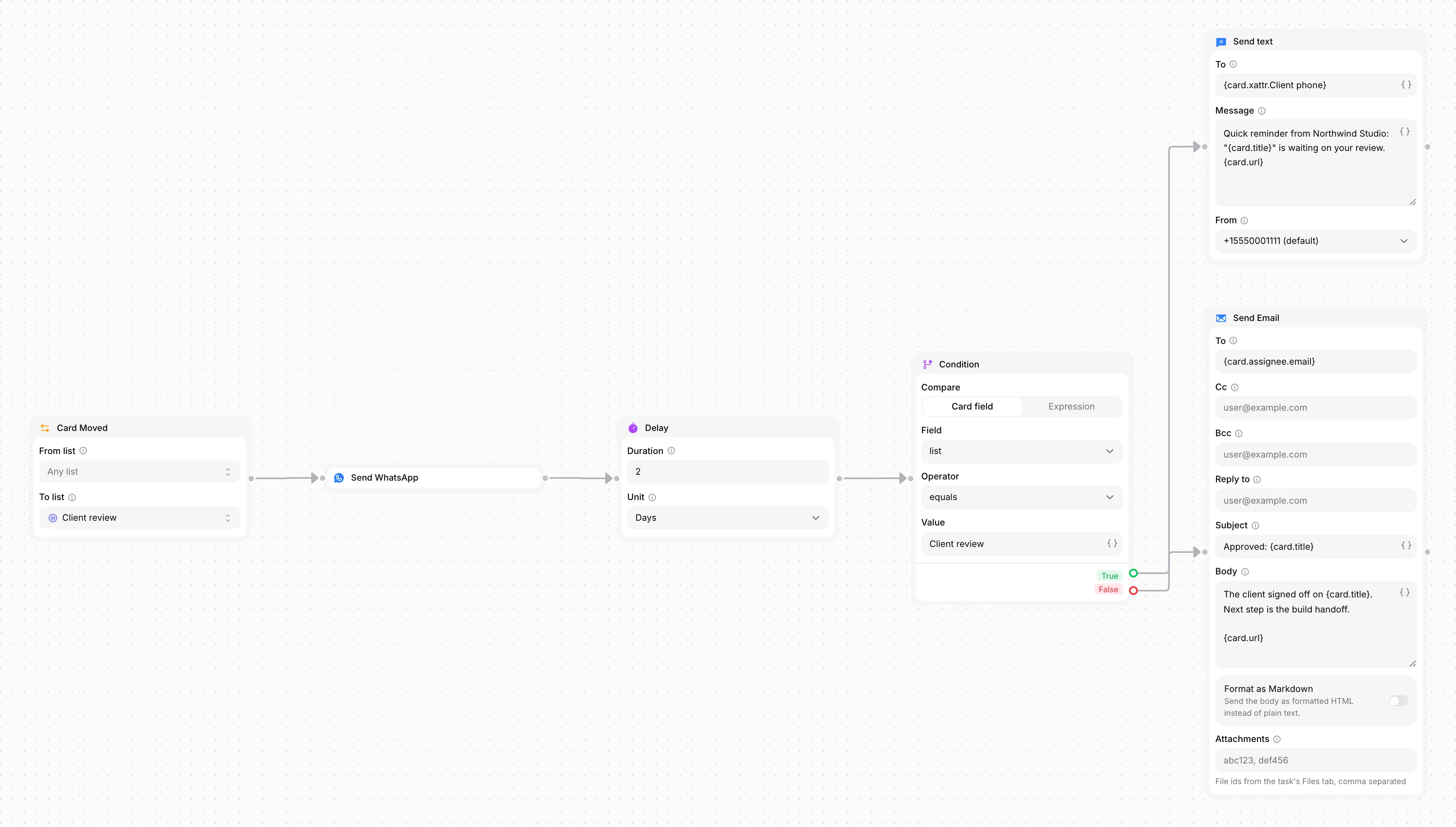
When a task reaches Client review, an automation sends the client a WhatsApp message or an SMS through your own Twilio number, and a reply lands back on the task. No chasing by email.
- Send text and Send WhatsApp nodes, with the reply captured on the task.
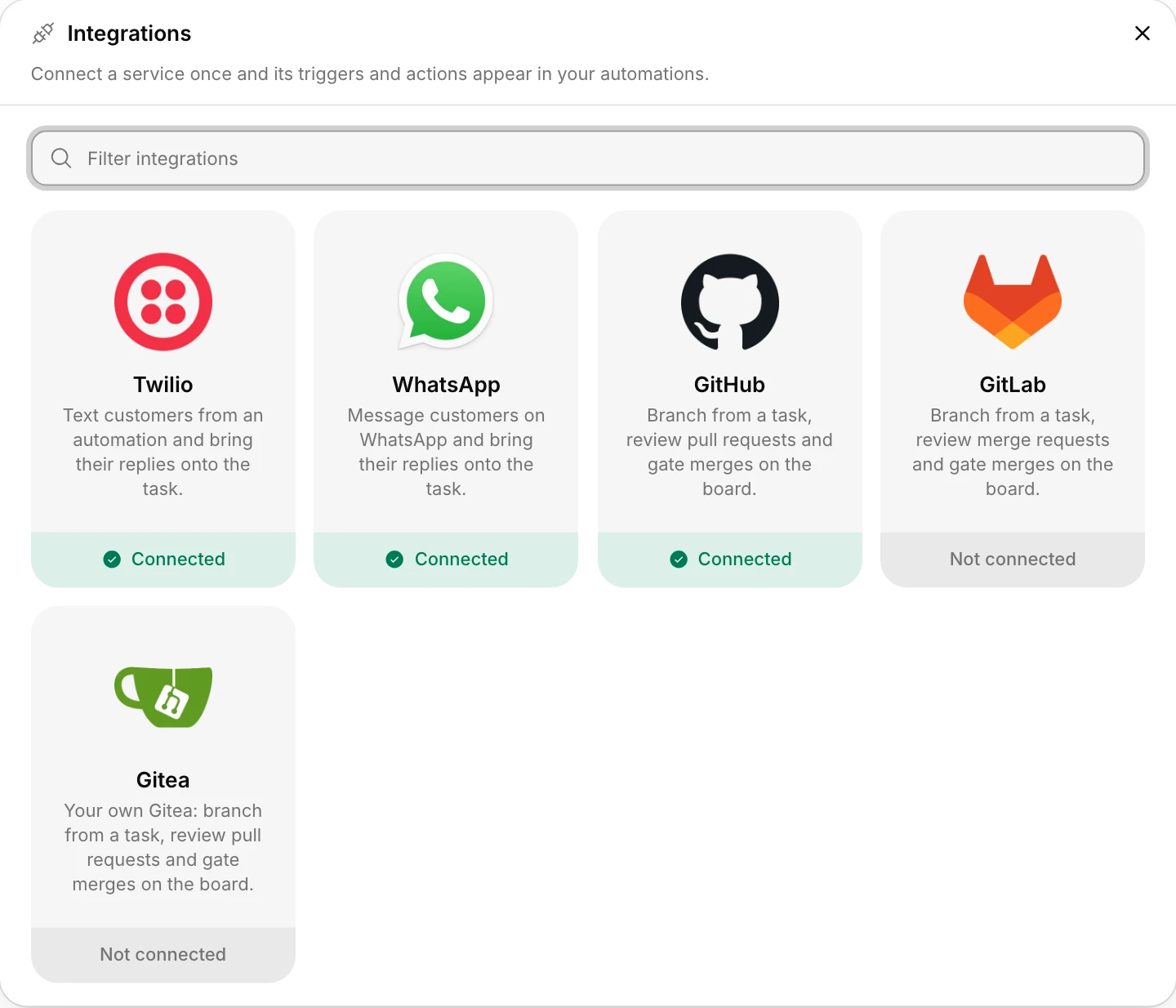
- Twilio and WhatsApp Business connect in Integrations with your own numbers.
- Email, Slack and Teams for the rest of the team.
The AI teammate
Delegate the update, keep the relationship.
Truetask AI runs on every plan. Give it the status note, the follow-up or the brief to draft, and it works the task like a teammate: reads the board, asks when unsure, and proposes done for you to approve before anything goes to the client.
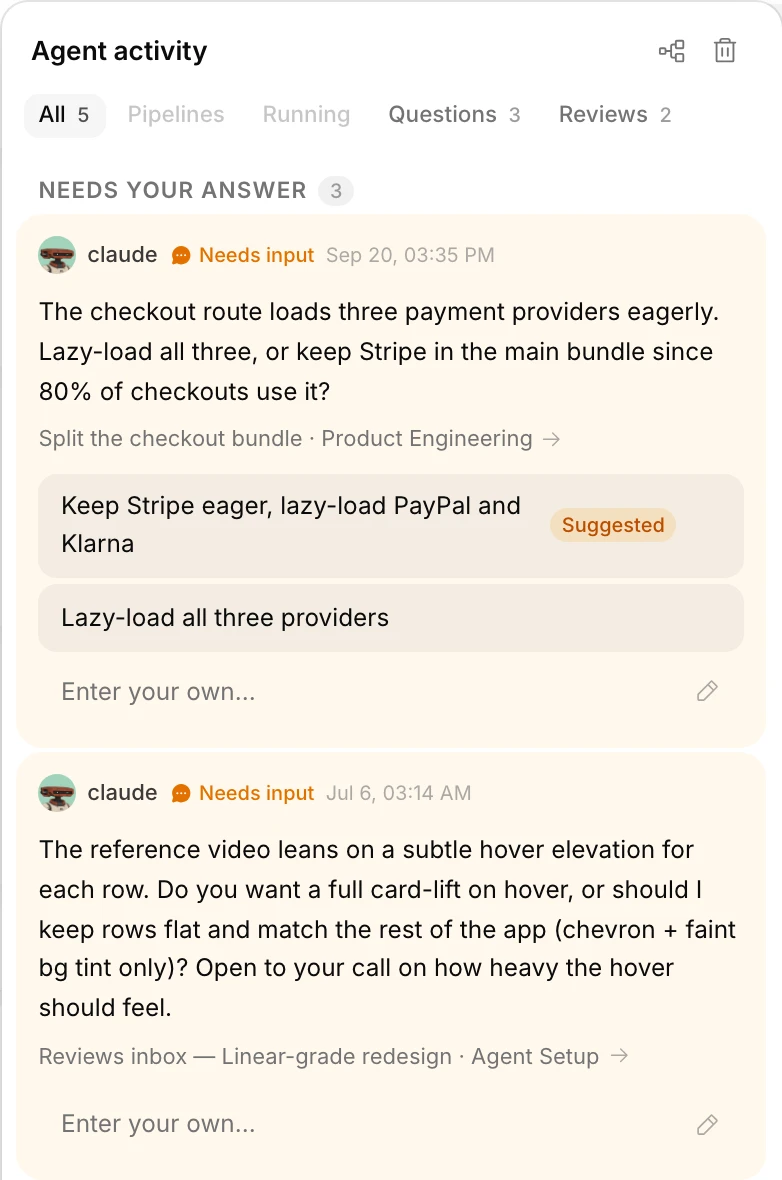
- Questions with a suggested answer, one tap to reply.
- Every draft is a proposal until a person approves.
- Bring your own agent through MCP if you already have one.
Pricing
Flat pricing per workspace.
Your whole team, and every AI agent you bring. One price. We don't count seats: agents are teammates, and teammates shouldn't cost extra.
Start here
Free
$0
Free forever, no card
A real workspace, free forever.
- Up to 3 people, agents included
- Every feature and automation node
- Truetask AI included
- Sleeps after 48 hours away
- US or EU region
One flat price
Truetask
$24.17/mo
$290 billed yearly
Your team and all its agents. Always on.
- Up to 10 people + unlimited agents
- 50 GB storage
- 10x Truetask AI usage
- Always on, day and night
Whole company
Unlimited
$82.50/mo
$990 billed yearly
Unlimited people. One workspace. One price.
- Unlimited people and agents
- 500 GB storage
- 30x Truetask AI usage
- Always on, day and night
Own your stack
Self-Hosted
$999one-time
No subscription. Yours forever.
A perpetual license on your infrastructure.
- Unlimited people, no subscription
- One year of updates included
- OAuth/OIDC and LDAP sign-in
- Works fully offline, your data stays home
Try everything free for 45 days. No card, no sales call. When the trial ends your workspace returns to Free and your data stays.
Questions
Questions agencies teams ask.
Do clients need a paid seat?
No. Truetask has no per-seat pricing. Clients can read a published note or fill in an intake form with no account at all, and a guest role gives view-only access to one board when they need to log in.
Can I bill from Truetask?
Truetask tracks billable time with a rate per person and exports approved weeks. Invoices themselves are produced in your accounting tool from that export.
Does the AI send anything to a client on its own?
Only through automations you build, such as a WhatsApp message when a task reaches Client review. Anything Truetask AI drafts is a proposal until a person approves it.
We use Asana today. How do we move?
Export from Asana and upload the file. Projects and tasks come over with their lists, assignees and due dates, and the import dialog shows the mapping before anything is written.
Run the next client in Truetask.
Import a project, invite the team, and let the first status update draft itself.
- Free plan
- No credit card
- MCP on every plan
- Export anytime
Also foroperations teams andengineering teams.